Viewing Process and Thread State
You can quickly view process and thread state in the Process & Threads view.
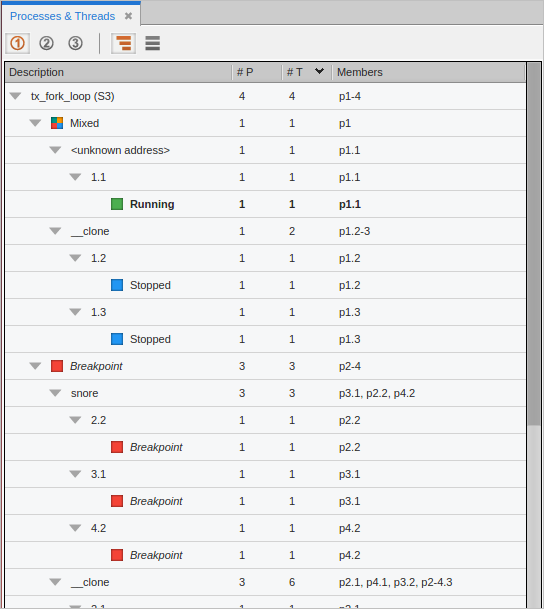
The Process & Threads view displays all processes and threads being debugged, along with their process state (i.e., stopped, running, at breakpoint, etc.). Selecting a process or thread sets the focus, which then determines the display in the Call Stack view, Local Variables view, Source view, and Data View.
Figure 103. The Process & Threads view
|
Controlling individual threads and processes to analyze and isolate problems |
|
|
The Process & Threads view |