Toolbar Settings
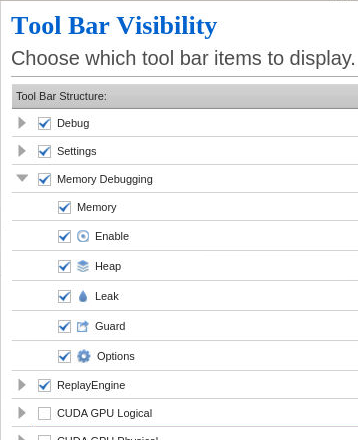
On the Tool Bar tab of the Preferences dialog, you can specify the toolbars you want to show in the UI, the commands included on each toolbar, and how the toolbars are displayed, as follows:
-
Click the checkbox to select the toolbar you want to show in the UI.
-
Click
 to select the commands to include on the toolbar.
 -
Click the Show text for tool bar buttons checkbox to show toolbar text with the toolbar commands.
You can also show or hide a toolbar by right-clicking the toolbar area of the UI and then clicking to select or deselect the toolbar in the context menu.