Signal Action Settings
On the Signals tab of the Preferences dialog, you can customize the way TotalView handles signals. See Default Signal Handling for the default settings.
Figure 102. Preferences: Signal Action Settings
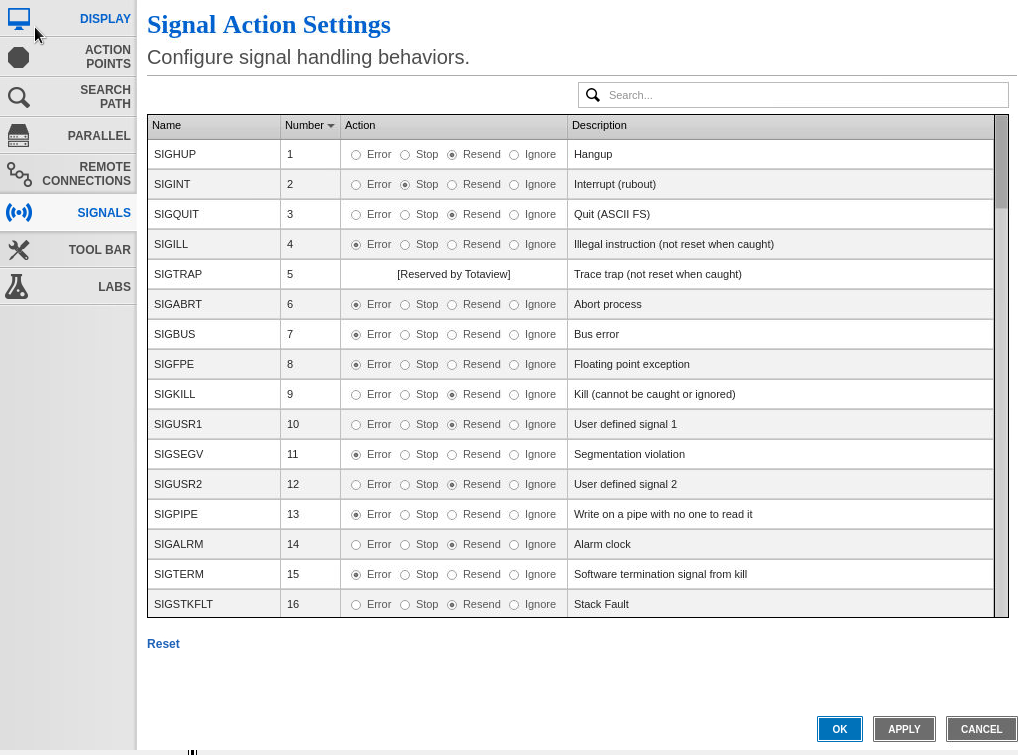
The default behavior for each signal is preselected in the Action column. (The list of signal names and numbers is specific to your operating system.)
You can also set signal action values in the CLI using the state variable TV::signal_handling_mode or the command-line option ‑signal_handling_mode.
|
Action |
Description |
|
Error |
Stops the process, places it in the error state, and displays an error. Select this action for severe error conditions, such as SIGSEGV and SIGBUS. TotalView stops all related processes by default. To change this behavior, set the state variable TV::stop_relatives_on_proc_error to false. |
|
Stop |
Stops the process and places it in the stopped state. Select this action to handle this signal as a SIGSTOP signal. |
|
Resend |
Sends the signal back to the process. This setting is useful when testing your program’s signal handling routines. TotalView sets certain signals to Resend by default because most programs have handlers to handle program termination. |
|
Ignore |
Discards the signal and continues the process. The process receives no notification that a signal was generated. |
|
Use the CLI to set signal actions. |
See the state variable TV::signal_handling_mode, which you can add to a .tvdrc startup file. Alternatively, set a signal action for a single TotalView session using the command-line option ‑signal_handling_mode. |
|
Control whether all related processes stop for an error setting. |
See the state variable TV::stop_relatives_on_proc_error. |
|
Learn how a system’s hardware registers may impact the way TotalView and your program handle SIGFPE. |
See Architectures. |