Parallel Attach Behaviors
On the Parallel tab of the Preferences dialog, you can configure the following parallel attach behaviors for debugging sessions:
-
How the debugger attaches to started processes
-
Whether processes should continue running or should stop after attaching
-
dbfork options
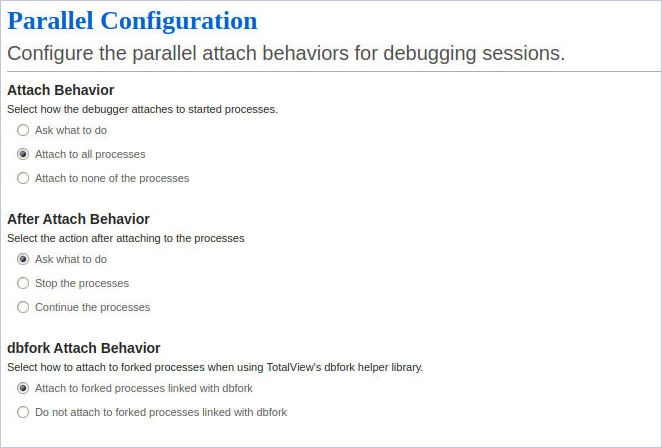
Figure 100. Preferences: Parallel Configuration
-
Attach Behavior: Choose the action to take when processes begin execution. Either automatically attach to all executing processes, attach to none, or launch a pop-up asking what to do. The default is “Attach to all processes.”
-
After Attach Behavior: Choose the action to take after attaching to started processes. Either stop the processes to easily set breakpoints, launch a pop-up dialog asking what to do, or continue running the processes. The default is “Ask what to do.”
-
dbfork Attach Behavior: Choose whether or not the debugger attaches to child processes linked with dbfork. The default is “Attach.”
|
Linking with the dbfork Library |
Linking with the dbfork Library and the TV::dbfork variable |
|
More about controlling how TotalView attaches to processes |
The TV::parallel_attach variable |
|
More about how TotalView stops processes. |
The TV::parallel_stop variable |