Launch single-process Python programs
You can launch single-process Python programs from the command line.
Before you begin, verify that your Python environment meets the requirements in Python debugging supported platforms and requirements.
On this page:
About the TotalView Python wrapper
TotalView uses a Python wrapper program to launch and control Python debugging sessions. The TotalView distribution includes the wrapper program and an MPI interposer shared library, which automatically load the Python debug module into the interpreter.
The wrapper is installed at:
<install-root>/<platform>/bin/tv_python_wrapper
TotalView supports the %tv_python_wrapper% token, which expands to the path of the wrapper in the TotalView distribution. Use this token when specifying the program to debug.
Launch a single-process Python program
-
From the command line, use the following syntax to launch your Python program in TotalView:
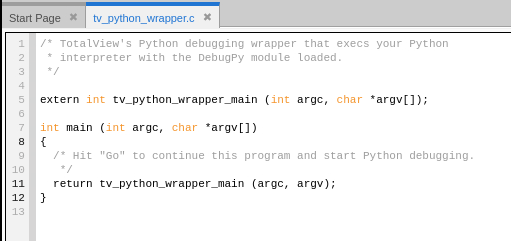
totalview -args %tv_python_wrapper% python <script.py>TotalView opens and displays the Python wrapper program (tv_python_wrapper.c) in the Source view.
-
Select Go (
 ). TotalView loads your Python script and stops at the first line of code.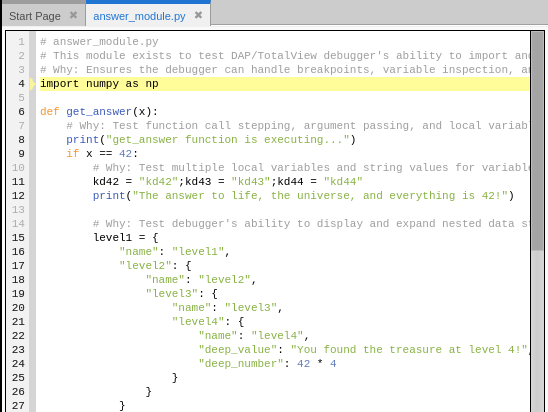

-
(Optional) Set any breakpoints you want in your Python code. See Set breakpoints in Python code.
-
Select Go (
) to run your Python script.
Resolve launch errors
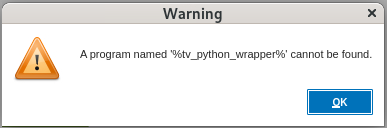
If you encounter the following warning when launching a single-process Python program, use the recommended action to resolve the issue.
Warning: A program named '%tv_python_wrapper%' cannot be found
This warning occurs when launching a single-process Python program using a TotalView version that does not support native Python debugging. To resolve this warning, use a TotalView version that supports native Python debugging.