Action Points
The Action Points tab controls action point behavior.
Figure 85. Preferences: Action Points
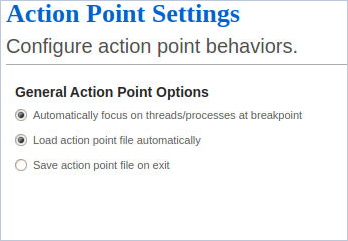
Action Point Options:
Automatically focus on threads/processes at breakpoint
If selected, TotalView automatically focuses on the active thread and/or process when your program reaches a breakpoint. Unlike other action point preferences, this preference changes how existing action points behave. For more information, see the TV::GUI::pop_at_breakpoint variable.
Load action point file automatically
When set, TotalView automatically loads action points when it loads a file. For more information, see the Action Points > Load menu command and the TV::auto_load_breakpoints variable.
Save action point file on exit
When set, TotalView automatically saves action points to an action points file when you exit. For more information, see the Action Points > Save menu command and the TV::auto_save_breakpoints variable.