The Registers View
On this page:
The Registers view is not open by default. To open it, from the Window menu, choose Views > Registers.
The Registers view displays the contents of CPU registers for the selected frame in the Call Stack. Viewing a different stack frame in the Call Stack reloads the values to those relevant to that frame.
The view includes two collapsible sections, General Purpose Registers and Floating Point Registers.
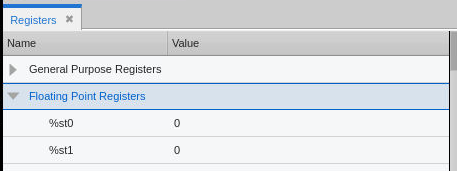
The Registers view displays each register’s Name and Value at the time that the thread stopped. If the value has changed, it appears in bold, similar to The Data View.
For example, here the general purpose rax and rdx registers’ values have changed:
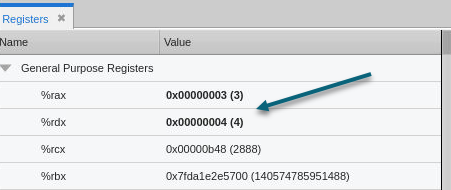
The value has two parts: the hexadecimal and the annotation in parentheses.
Running threads display no registers, so the view will be empty if all threads are running.
Edit or Cast a Register
To edit the value of a register or cast it to a different type, add it to the Data View. Similar to the Local Variables view, add a register to the Data View by dragging and dropping it into the view or right-clicking on the register entry and selecting Add to Data View.
Once in the Data View, you can edit the data by double-clicking on the value and entering a new one, or cast the data by double-clicking the existing type and entering a new one.
|
Using the dwhere command to view registers |
|
|
The Data View |
|
|
Casting to another type in the Data View |