Attach to a running program
If a program you’re testing is hung or looping (or misbehaving in some other way), you can attach to it while it is running. You can attach to single and multi-process programs, and these programs can be running remotely.
To attach to a running program:
-
Open the Attach to Running Program(s) window of the Session Editor using one of the following methods:
-
Select File > Attach to a Program.
-
On the Start Page, select Attach to a Process.
A list of processes running on the selected host displays in the Attach to Running Program(s) window of the Session Editor. In the displayed list, processes to which TotalView is already attached are shown in gray text, while the processes displayed in black text are not currently running under TotalView control.
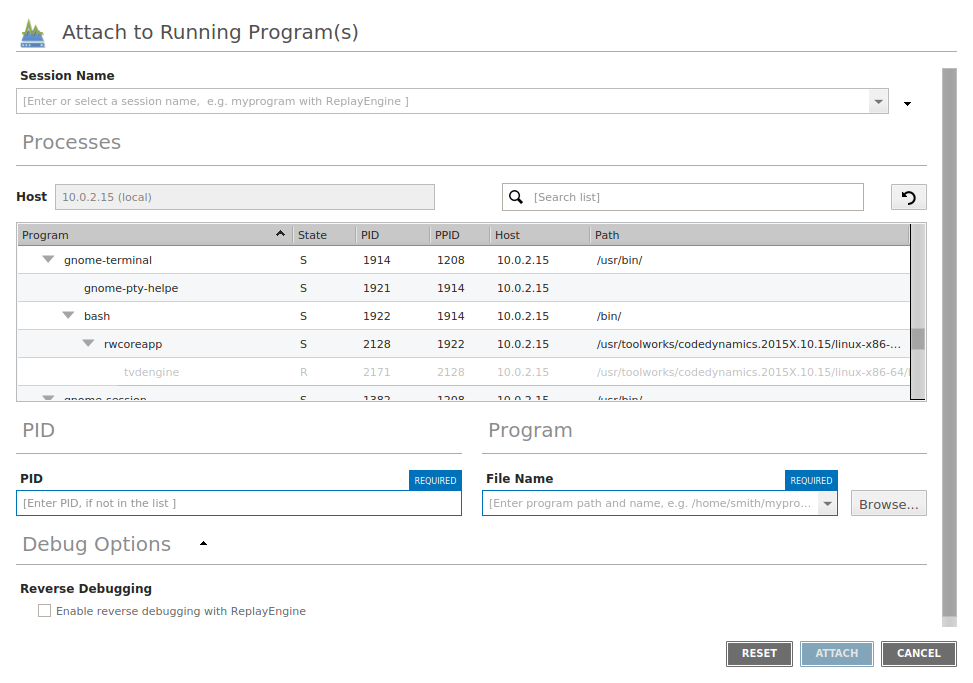
-
-
Enter a name for the session in the Session Name field or select Browse to navigate to the program.
-
Select the program's name in the Program note of the list, and then select Attach.