View data across threads and processes
When debugging a parallel program that runs multiple instances of the same executable, you often need to view the value of a variable across all processes or threads simultaneously.
On this page:
Show data across processes and threads
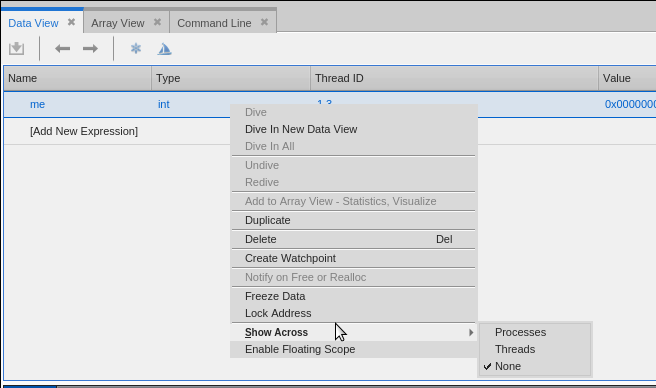
To view a variable value across all processes or threads, add the variable to the Data View, right-click the expression, point to Show Across, and then select Processes or Threads.
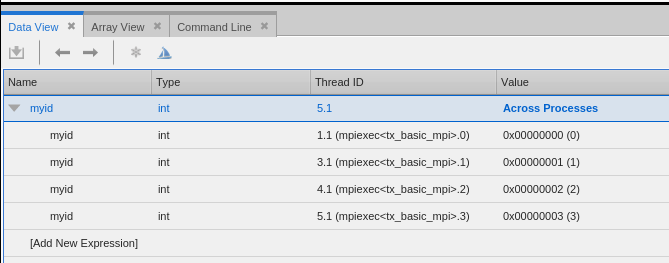
After selecting a Show Across command, the Data View displays an array-like layout showing the value of the variable in each process or thread. The following image shows a simple scalar variable in each of the processes of a parallel MPI program. The process name contains the MPI rank at the end. For example, in “5.1 (mpiexec<tx_basic_mpi>.3)”, the “3” indicates the MPI rank.
Scalar variable, across processes (MPI)
When looking for a matching stack frame, TotalView matches frames starting from the top frame, and considers calls from different memory or stack locations to be different calls. For example, the following definition of recurse() contains two additional calls to recurse(). Each of these calls generates a nonmatching call frame.
void recurse(int i) {
if (i <= 0)
return;
if (i & 1)
recurse(i - 1);
else
recurse(i - 1);
}
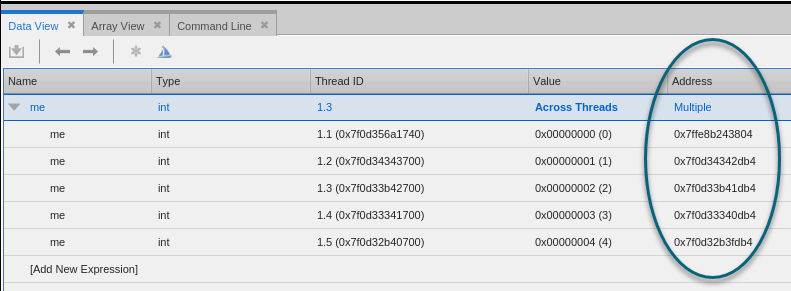
If the variables are at different addresses in the different processes or threads, the expression address is listed as Multiple, and the unique addresses appear with each data item.
Show across arrays
When you show across an array, TotalView displays each element in the array across all processes. You can use a slice to select elements to be displayed in an “across” display. The following image shows the result of applying a Show Across > Threads command to an array of structures.
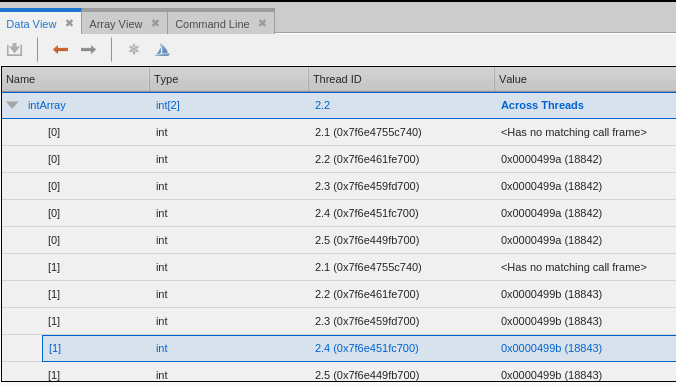
Show across a structure and dive
The following image shows the result of applying a Show Across > Threads command to a structure.
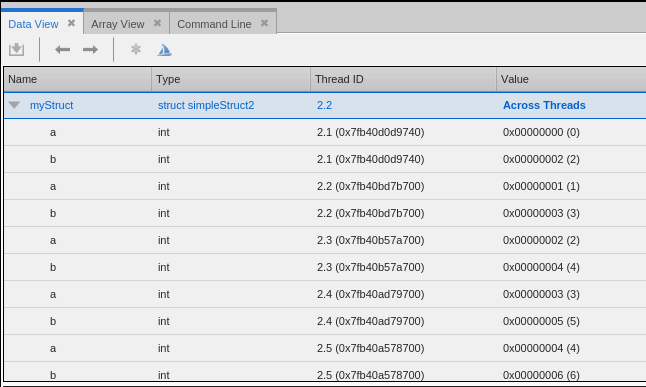
From here, you can dive on a particular structure member to see only that member across all the threads.
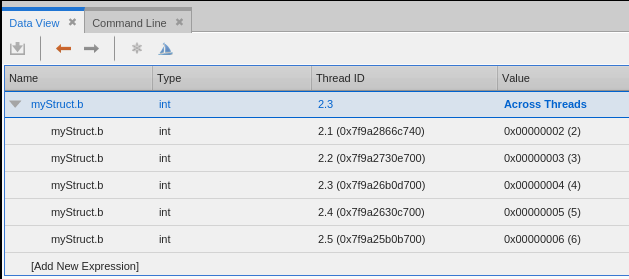
Show across a pointer and dive
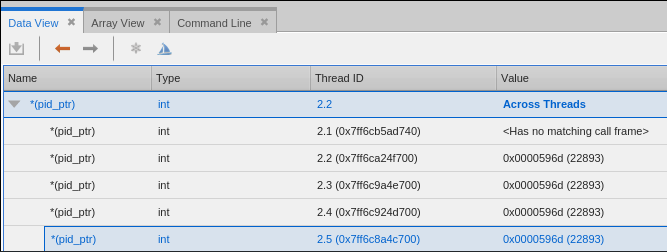
The following image shows the result of applying a Show Across > Threads command to a pointer.
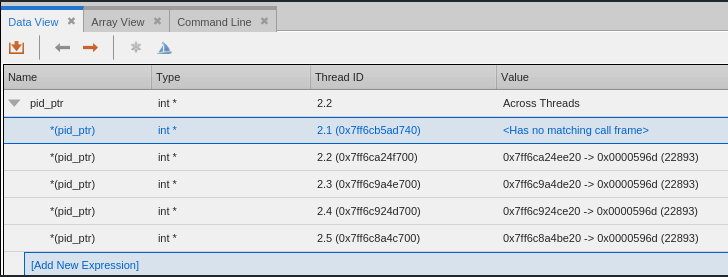
From here, you can dive on a thread to see just the pointer value.