Processes & Threads View
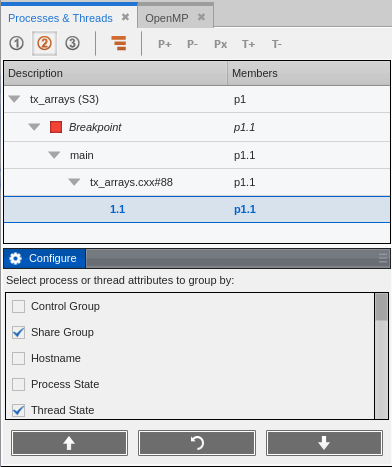
When a program is running, the Processes & Threads view displays process and thread information. Use the attributes list at the bottom to choose which information to display, and in what order. Manipulating these attributes creates various views into your program.
One line is bold, indicating the process and thread that currently has the focus. You can double-click on a different line to change the focus to that process and thread. The thread of focus determines the data displayed in the Call Stack and Data View.
Figure 7. Processes & Threads View
|
Detailed information on this view |
|
|
The thread/process of focus and its effect on the display of data |